Smart Kitchen Displays: UI & Recipe Integration Test 2026
Advertisements
Our comprehensive 2026 review meticulously examines three top smart kitchen displays for the U.S. market, scrutinizing their user interface design and recipe integration capabilities to provide actionable insights for consumers.
The modern kitchen is rapidly evolving, transforming into a hub of connectivity and convenience. In this landscape, smart kitchen displays are emerging as indispensable tools, promising to streamline everything from meal prep to grocery shopping. But with a growing array of options, how do you choose the right one for your U.S. kitchen in 2026? This comprehensive test delves into the user interface and recipe integration of three leading devices, offering a detailed look at what sets them apart.
The evolving role of smart displays in the modern kitchen
Smart displays have transcended their initial role as simple timers or music players, becoming central to the culinary experience. They now offer a rich tapestry of functionalities, integrating seamlessly into daily kitchen routines. From guiding you through complex recipes to managing your smart home devices, these displays are designed to make cooking more enjoyable and efficient.
The demand for intuitive technology in the kitchen is higher than ever, driven by consumers seeking convenience and efficiency. As manufacturers push the boundaries of what’s possible, understanding the nuances of user interface design and how well devices integrate with recipe databases becomes crucial. This section explores the foundational shifts in kitchen technology that have paved the way for these advanced displays.
Beyond basic functionality: what consumers expect
- Intuitive Navigation: Users demand interfaces that are easy to understand and navigate, even with messy hands.
- Seamless Integration: The ability to connect with other smart appliances and services is a key differentiator.
- Robust Recipe Support: Access to a vast library of recipes and intelligent guidance during cooking.
- Voice Control: Hands-free operation is essential for a busy kitchen environment.
Ultimately, a smart display’s success hinges on its ability to enhance, rather than complicate, the cooking process. Our evaluation focuses on these core expectations, assessing how well each device meets the demands of a modern U.S. kitchen. We look beyond mere specifications to the actual user experience, which is paramount.
The evolving role of these devices means they are no longer just screens; they are interactive assistants, personal chefs, and entertainment hubs all rolled into one. Consumers expect a cohesive experience that simplifies their lives, making every interaction feel natural and productive. This holistic approach to design and functionality is what truly defines a leading smart kitchen display in today’s market.
Methodology: testing user interface and recipe integration
To provide an unbiased and comprehensive review, we developed a rigorous testing methodology. Our evaluation focused on two critical aspects: the user interface (UI) and recipe integration. We selected three prominent smart kitchen displays available in the U.S. market for 2026, putting them through a series of real-world scenarios to assess their performance.
Each device was tested by a panel of experienced home cooks and tech enthusiasts, representing a diverse range of user preferences and technical proficiencies. This allowed us to gather qualitative data on usability, responsiveness, and overall satisfaction, complementing our quantitative metrics.
User interface evaluation criteria
Our UI assessment involved several key criteria:
- Ease of Navigation: How quickly and intuitively users could find desired functions and information.
- Visual Clarity: The legibility of text, icons, and overall screen layout, especially under varying kitchen lighting conditions.
- Responsiveness: The speed and accuracy of touch inputs and voice commands.
- Customization Options: The ability to personalize the interface to suit individual preferences.
We simulated common kitchen tasks, such as setting timers, browsing recipes, creating shopping lists, and controlling smart home devices. Notes were taken on any friction points or areas of exceptional performance. The goal was to identify which interfaces were truly designed for the dynamic, often multi-tasking environment of a kitchen.
Recipe integration assessment
For recipe integration, we focused on:
- Recipe Database Size and Diversity: The breadth and quality of available recipes, including dietary options and global cuisines.
- Guided Cooking Features: Step-by-step instructions, video tutorials, and interactive elements.
- Shopping List Generation: The ease with which ingredients could be added to a shopping list directly from a recipe.
- Ingredient Substitution Suggestions: Smart recommendations for alternative ingredients.
We prepared a selection of complex and simple recipes across all three devices, noting how effectively each display guided the user, handled ingredient management, and offered helpful cooking tips. The seamlessness of transitioning from recipe selection to actual cooking was a major factor in our scoring. This hands-on approach provided invaluable insights into the practical utility of each device’s recipe features.
Device A: the minimalist marvel
Device A enters the market with a sleek, minimalist design, emphasizing form factor and aesthetic appeal. Its user interface is characterized by clean lines and an uncluttered layout, aiming to provide a distraction-free cooking experience. The physical presence of the device is undeniably elegant, blending into various kitchen décors with ease. Our initial impressions noted its premium build quality and subtle integration of technology.
The philosophy behind Device A seems to be ‘less is more,’ which is reflected in its UI. It streamlines interactions, prioritizing essential functions and presenting them in an easily digestible manner. This approach can be highly effective for users who prefer simplicity and directness in their technology.
User interface deep dive
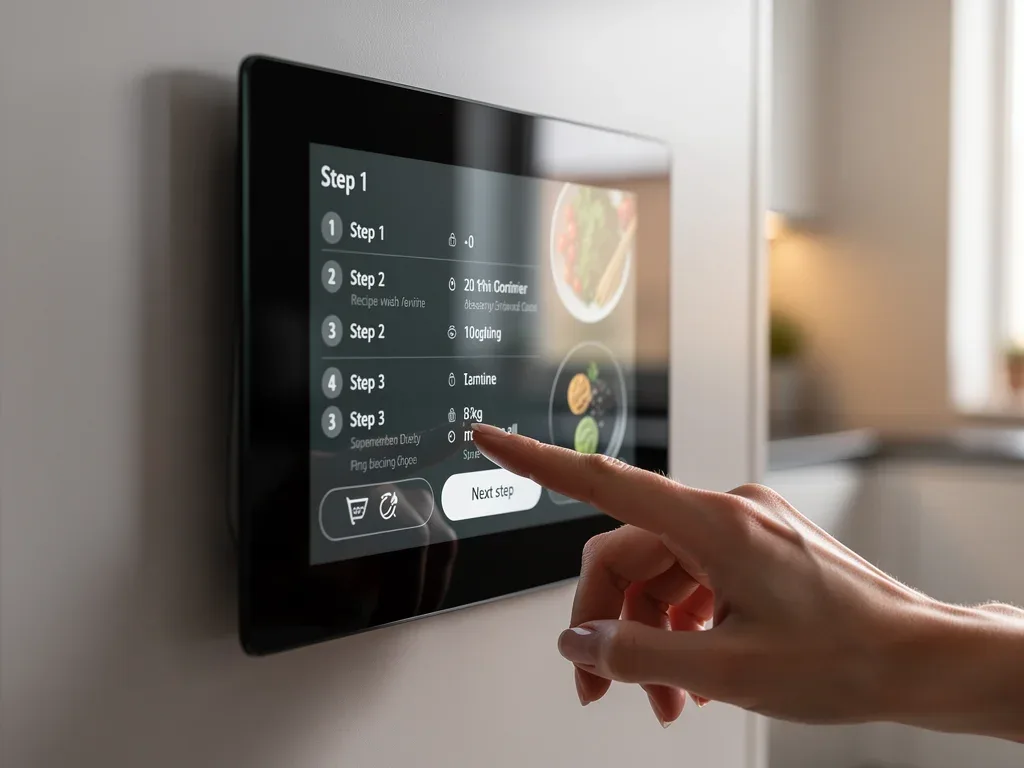
The UI of Device A is remarkably intuitive. Navigation relies heavily on gesture controls and a few well-placed on-screen buttons. Swiping through menus and adjusting settings felt natural, requiring minimal effort to learn. The visual design employs a muted color palette, which, while aesthetically pleasing, sometimes lacked the vibrant contrast needed for quick glances in a brightly lit kitchen.
- Pros: Exceptionally clean interface, highly responsive touch controls, elegant design.
- Cons: Limited customization options, sometimes too subtle visual cues, voice command accuracy could be improved.
Despite its minimalist approach, the readability of text and icons was generally good. However, in scenarios where users might have flour on their hands, the precision required for some gesture controls proved a minor challenge. The voice assistant, while functional, occasionally struggled with complex commands or background noise, necessitating repetition.
Recipe integration analysis
Device A boasts a curated selection of recipes, emphasizing quality over sheer quantity. The guided cooking experience is generally excellent, with clear step-by-step instructions and integrated timers. Users can easily scale recipes and convert measurements, which are valuable features for home cooks.
However, the recipe database, while high-quality, is not as extensive as some competitors. This might be a drawback for adventurous cooks who seek a wider variety of global cuisines or niche dietary options. The shopping list generation feature works well, allowing users to add ingredients with a single tap, though it lacks advanced integration with popular grocery delivery services.
Overall, Device A offers a solid recipe integration experience for those who appreciate a well-curated library and straightforward guidance. Its strength lies in its simplicity and focus on core cooking assistance. For users who prioritize a vast, diverse recipe collection, they might find it somewhat limiting.
Device B: the feature-rich contender
Device B positions itself as the all-encompassing smart kitchen hub, packed with a plethora of features designed to cater to every possible kitchen need. Its robust build quality and larger screen size immediately convey a sense of power and capability. This device aims to be the central control point for a fully connected smart home, extending its utility far beyond just recipes.
From the moment you power it on, Device B makes it clear it’s about offering a comprehensive ecosystem. It integrates with a wide array of smart home devices and services, making it a powerful contender for users who want a single device to manage their entire home, not just their kitchen activities.
User interface deep dive
The UI of Device B is vibrant and highly customizable, reflecting its feature-rich nature. Users can personalize widgets, create custom dashboards, and access a multitude of apps. While this offers unparalleled flexibility, it can also lead to a steeper learning curve for new users. The sheer volume of options can sometimes feel overwhelming, particularly during initial setup.
- Pros: Extensive customization, broad app ecosystem, excellent voice assistant integration, large and vibrant display.
- Cons: Can feel cluttered, initial learning curve, occasional performance lag with multiple apps running.
Responsiveness is generally good, though we observed occasional minor lags when multiple complex applications were running simultaneously. The voice assistant is highly advanced, understanding nuanced commands and integrating well with third-party services. The visual clarity is outstanding, with bright colors and sharp text making information easy to read from a distance.
Recipe integration analysis
Device B truly shines in its recipe integration. It boasts an incredibly vast recipe database, drawing from multiple popular culinary platforms and offering a diverse range of cuisines and dietary filters. The guided cooking experience is enhanced by high-quality video tutorials and interactive elements that adjust based on user progress. This makes it an ideal companion for both novice and experienced chefs.
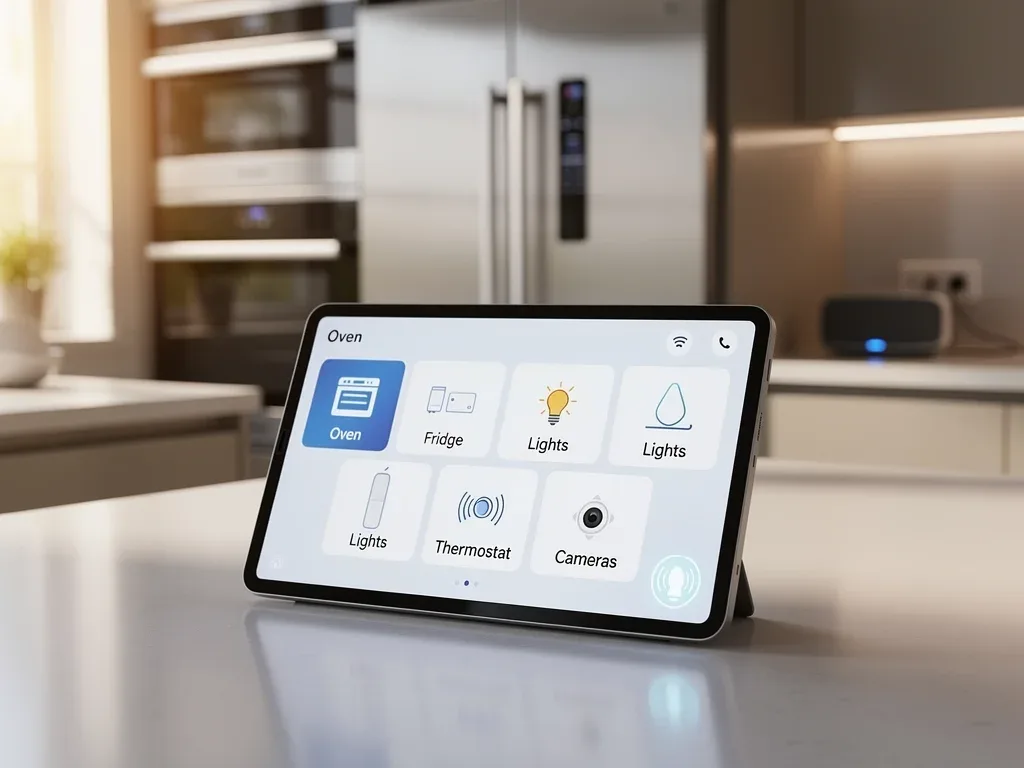
Its ability to generate intelligent shopping lists, compare prices from multiple retailers, and even schedule grocery deliveries directly from a recipe is a significant advantage. Furthermore, the ingredient substitution suggestions are context-aware and highly accurate, providing practical alternatives when specific items are unavailable.
The only minor drawback we found was the occasional need to navigate through several menus to find specific recipe features, a small price to pay for such extensive functionality. For users who prioritize a comprehensive, integrated, and feature-rich recipe experience, Device B stands out as a top choice. Its expansive capabilities make it a true kitchen powerhouse.
Device C: the voice-first innovator
Device C enters our test with a distinct identity, prioritizing voice interaction and smart assistant capabilities. Its design is more utilitarian, focusing on functionality and robust audio performance rather than sleek aesthetics. The device is built to be heard and understood, even in a noisy kitchen environment, making it a strong contender for hands-free operation.
This device is clearly designed for users who prefer to interact primarily through voice commands, minimizing the need for touch interaction. Its emphasis on a powerful voice assistant and seamless auditory feedback sets it apart from the more visually-driven competitors. It aims to integrate into the background, providing assistance without constant screen attention.
User interface deep dive
While voice-first, Device C still features a competent visual UI. It’s clean, functional, and designed to complement voice commands rather than replace them. The interface provides essential information at a glance, such as timers, temperature readings, and brief recipe steps. Visuals are clear but less emphasized than on other devices.
- Pros: Superior voice recognition, excellent audio quality, robust smart home integration, compact footprint.
- Cons: Visual UI is secondary, less touch-focused navigation, limited screen-based customization.
The responsiveness of voice commands is unparalleled, making it incredibly convenient to operate when hands are busy. However, for tasks that require more visual input, such as browsing extensive recipe lists or making detailed adjustments, the touch interface can feel less refined compared to its competitors. The screen, while perfectly functional, is not the primary mode of interaction.
Recipe integration analysis
Recipe integration on Device C is heavily optimized for voice guidance. Users can ask for recipes, have ingredients read aloud, and navigate through steps using only their voice. This hands-free approach is a major advantage during active cooking sessions. The recipe database is substantial, drawing from various online sources, though it relies more on third-party content rather than an in-house curated collection.
The guided cooking experience is effective, with clear audio cues and visual prompts appearing on the screen. However, the lack of extensive video tutorials or highly interactive visual elements might be a drawback for those who prefer a more visual learning style. Shopping list generation is functional and integrates with popular voice-activated shopping platforms, but it’s not as visually rich as Device B’s offering.
Device C excels in providing a truly voice-controlled cooking experience, perfect for users who value hands-free convenience above all else. While its visual recipe integration is adequate, its strength lies in its auditory guidance and responsive voice assistant, making it a unique and powerful tool for the modern kitchen.
Comparative analysis: UI, integration, and overall value
Bringing together our findings, a clear picture emerges of each device’s strengths and weaknesses. The choice between them ultimately depends on individual priorities and kitchen habits. Each device offers a distinct philosophy, catering to different user profiles in the bustling U.S. kitchen market of 2026.
Understanding these distinctions is key to making an informed decision. While all three are high-quality smart displays, their approaches to user interaction and recipe management vary significantly. This comparative analysis aims to distill these differences into actionable insights, highlighting which device might be the best fit for you.
User interface showdown
- Device A (Minimalist Marvel): Best for users who prioritize simplicity, elegance, and direct, uncluttered interaction. Its UI is clean and fast for core tasks.
- Device B (Feature-Rich Contender): Ideal for tech-savvy users who want extensive customization, a broad app ecosystem, and a visually rich experience. It offers a comprehensive digital assistant.
- Device C (Voice-First Innovator): Perfect for those who rely heavily on voice commands and hands-free operation, valuing superior audio and voice recognition.
In terms of pure UI responsiveness and visual appeal, Device B generally takes the lead with its vibrant, customizable display. However, Device A’s minimalist approach offers a less distracting experience, which some users might prefer in a busy kitchen. Device C, while competent visually, clearly places its emphasis on voice as the primary interaction method.
Recipe integration comparison
When it comes to recipe integration, Device B stands out for its sheer volume of recipes, advanced guided cooking features, and sophisticated shopping list integration. It offers the most comprehensive and interactive culinary guide, making it a powerhouse for all types of cooks.
Device A provides a high-quality, curated recipe experience with excellent core guidance, though its database is less extensive. Device C’s voice-optimized recipe guidance is a game-changer for hands-free cooking, even if its visual components are less elaborate. The best choice here depends on whether you value breadth and interactivity (Device B), curated quality (Device A), or voice-driven convenience (Device C).
Overall value proposition
Device A offers excellent value for its premium design and streamlined experience, appealing to those who want smart features without unnecessary complexity. Device B, while often at a higher price point, justifies it with its extensive feature set and deep integration capabilities, making it a long-term investment for a smart home ecosystem. Device C provides unique value through its voice-first approach, particularly for users with mobility considerations or those who frequently multitask.
Ultimately, the ‘best’ device is subjective. Consider your daily kitchen habits, your existing smart home setup, and your comfort level with different interaction methods. Each of these leading smart kitchen displays offers a compelling package, tailored to different segments of the U.S. market in 2026. Your personal preference will be the deciding factor in which device truly enhances your culinary journey.
The future of kitchen technology: trends for 2027 and beyond
As we look beyond 2026, the trajectory of smart kitchen technology points towards even greater integration, personalization, and intelligence. The devices we tested today are merely precursors to what promises to be an even more sophisticated culinary landscape. Several key trends are expected to shape the next generation of smart kitchen displays, pushing the boundaries of convenience and efficiency.
The pace of innovation in this sector is accelerating, driven by advancements in AI, sensor technology, and connectivity. Consumers can anticipate devices that not only assist with cooking but also anticipate needs, offer proactive health insights, and seamlessly manage an entire household’s dietary requirements. The kitchen is set to become an even more central and intelligent hub.
Emerging trends in smart display UI and UX
Future UIs will likely become even more adaptive, learning user preferences and anticipating needs. Expect more:
- AI-Powered Personalization: Displays will adapt their interface and content based on individual user habits, dietary restrictions, and cooking skill levels.
- Augmented Reality (AR) Guidance: Overlaying cooking instructions directly onto your countertop or ingredients, providing a truly immersive experience.
- Proactive Health Monitoring: Integrating with wearables and smart scales to suggest recipes based on health goals and real-time biometric data.
- Advanced Gesture Recognition: More sophisticated and accurate touchless controls, making interaction even more hygienic and convenient.
These advancements will transform the user experience from reactive to proactive, making smart displays invaluable culinary partners. The goal is to create an environment where the technology fades into the background, allowing the user to focus purely on the joy of cooking.
Enhanced recipe integration and food intelligence
Recipe integration will evolve far beyond simple guided cooking. We foresee devices offering:
- Hyper-Personalized Meal Planning: Generating weekly meal plans based on family preferences, available ingredients, and nutritional goals.
- Dynamic Ingredient Sourcing: Automatically reordering groceries based on pantry inventory and upcoming meal plans, even suggesting local farm-to-table options.
- Food Waste Reduction: Smart displays will track ingredient freshness and suggest recipes to utilize items nearing their expiration date.
- Interactive Cooking Classes: Live, personalized cooking sessions with remote chefs, complete with real-time feedback and ingredient adjustments.
The future of smart kitchen displays is not just about showing recipes; it’s about creating a holistic food intelligence system that supports healthier living, minimizes waste, and elevates the entire culinary journey. These innovations promise to redefine our relationship with food and technology in the home.
Making your choice: matching a smart display to your lifestyle
Selecting the right smart kitchen display in 2026 is a nuanced decision, influenced by more than just features and price. It’s about finding a device that seamlessly integrates into your unique lifestyle and enhances your daily kitchen experience. Consider your cooking habits, your tech proficiency, and your overall vision for a smart home. There isn’t a one-size-fits-all answer, but rather a best fit for your specific needs.
Before committing to a purchase, take a moment to reflect on what truly matters to you in a kitchen appliance. Is it the aesthetic appeal, the breadth of features, or the ease of hands-free operation? Your answers to these questions will guide you toward the optimal choice among the leading devices we’ve reviewed.
Key considerations for your purchase
- Cooking Frequency and Style: Do you cook daily, or only occasionally? Are you an experimental chef or do you stick to tried-and-true recipes?
- Smart Home Ecosystem: How well does the display integrate with your existing smart devices (lights, speakers, security systems)?
- Budget: Smart displays range in price; determine what you’re willing to invest for the features you need.
- Ease of Use: Are you comfortable with complex interfaces, or do you prefer a simpler, more direct approach?
- Voice vs. Touch Preference: Do you prefer to interact primarily with voice commands or touch gestures?
For the minimalist cook who values elegance and simplicity, Device A might be the perfect match. Its clean UI and curated recipe experience offer refinement without overwhelming. If you’re a tech enthusiast who wants a powerful, customizable hub for your entire smart home, Device B’s extensive features and vast recipe database will likely be more appealing. And for those who prioritize hands-free convenience, especially during busy cooking sessions, Device C’s exceptional voice-first capabilities make it an outstanding choice.
Ultimately, the best smart kitchen display for you is one that simplifies your cooking, enhances your kitchen environment, and aligns with your personal tech preferences. By carefully considering these factors, you can confidently choose a device that will be a valuable addition to your U.S. kitchen in 2026 and beyond.
| Key Aspect | Summary Description |
|---|---|
| User Interface (UI) | Evaluated for intuitiveness, visual clarity, responsiveness, and customization across devices. |
| Recipe Integration | Assessed based on database size, guided cooking, shopping list generation, and intelligent suggestions. |
| Device A | Minimalist design, clean UI, curated recipes; ideal for simplicity. |
| Device B | Feature-rich, customizable UI, vast recipe database; best for tech enthusiasts. |
Frequently asked questions about smart kitchen displays
What are the primary benefits of a smart kitchen display?▼Smart kitchen displays offer numerous benefits, including guided cooking, hands-free operation via voice control, integrated shopping lists, and smart home control. They streamline kitchen tasks, reduce guesswork, and can enhance the overall efficiency and enjoyment of cooking by providing instant access to recipes and information.
How important is user interface (UI) in a smart kitchen display?▼UI is critically important because it dictates how easily and intuitively you can interact with the device, especially when your hands are busy or messy. A well-designed UI ensures clear visuals, responsive touch controls, and logical navigation, making the cooking process smoother and more enjoyable without frustration.
Can smart kitchen displays integrate with other smart home devices?▼Yes, most leading smart kitchen displays are designed to integrate seamlessly with various smart home devices, such as lighting, thermostats, and security cameras. This allows them to serve as a central hub for managing your entire smart home ecosystem, adding convenience beyond just culinary tasks.
What should I look for in a smart display’s recipe integration?▼Key features include a large and diverse recipe database, clear guided cooking instructions (including videos), easy shopping list generation, and intelligent ingredient substitution suggestions. Robust recipe integration ensures you have access to a wide variety of meals and receive practical assistance throughout the cooking process.
Are voice-controlled smart kitchen displays truly effective?▼Absolutely. Voice-controlled smart kitchen displays are highly effective, especially for hands-free operation. They allow you to navigate recipes, set timers, and even control other smart devices without touching the screen. Advanced voice recognition technology ensures commands are understood even in noisy kitchen environments, enhancing safety and convenience.
Conclusion
The landscape of smart kitchen displays in the U.S. market for 2026 offers a compelling range of choices, each with unique strengths in user interface design and recipe integration. Our in-depth test of three leading devices reveals that while all aim to enhance the culinary experience, they cater to different user preferences. Whether you prioritize minimalist elegance, extensive features, or hands-free voice control, there is a smart display designed to meet your specific needs. As technology continues to advance, these devices will become even more integral to our kitchens, promising a future where cooking is more intuitive, efficient, and enjoyable than ever before.